
At a glance
- Grant Aerona3 R32 heat pump error codes are two-character codes such as FU, A5 or C3 shown on the terminal PCB display, with a flashing red LED on the remote controller’s ON/OFF switch and a warning icon.
- FU means the high pressure switch is operating; Grant’s listed causes are outside air recirculating into the unit and a clogged water circuit, checked by comparing the outgoing and return water temperatures.
- A2 and A4 are protective stops against excess DC or AC current, with a blocked air inlet or outlet, excess refrigerant, low 230 V supply or a momentary power loss such as lightning as the listed causes.
- A manual reset is done by pressing the minus and plus buttons on the remote controller together for three seconds; Grant says resetting by switching the mains off and on is not recommended.
- The terminal PCB stores the previous 10 error codes, which an engineer can read by holding the Pump and Reset switches for five seconds.
- A1 and U1 list gas leakage among their causes, so they need an engineer.
What do Grant Aerona heat pump error codes mean?
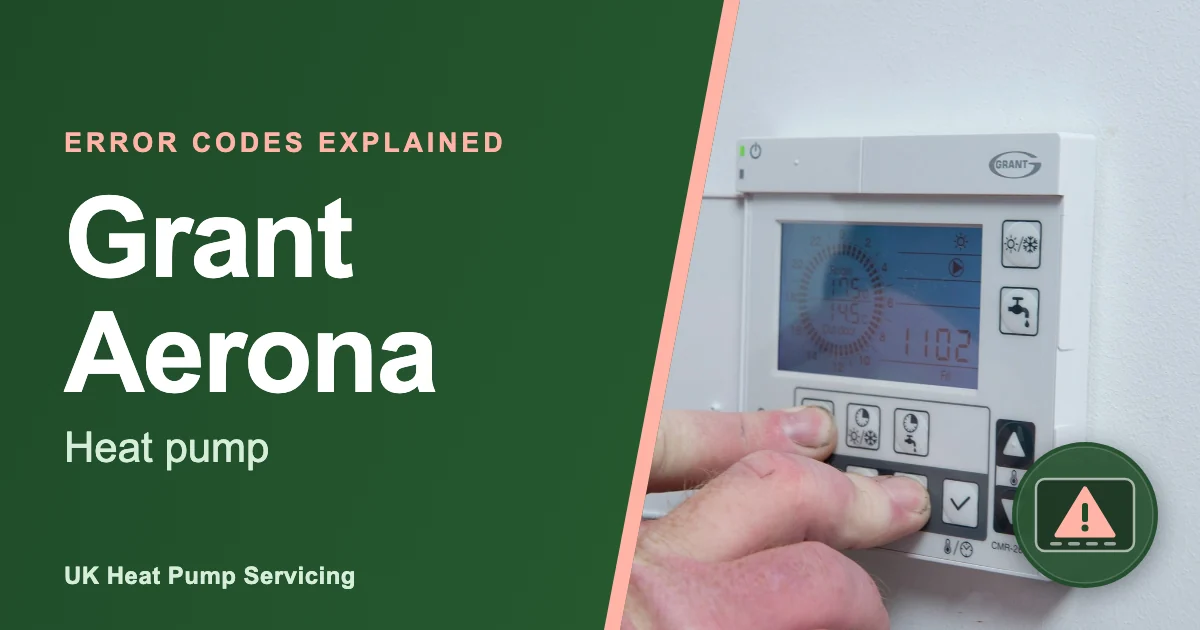
A Grant Aerona heat pump error code means the Aerona3 R32 has detected a fault and, for most codes, stopped to protect itself. When that happens the red LED on the remote controller’s ON/OFF switch flashes, a warning icon appears on the screen and a short code, such as FU or A5, shows on the terminal PCB display. The outdoor unit codes begin A, C, E, F, P or U, and the controller and terminal PCB codes begin L or are the three-digit 740.
This guide uses Grant’s Aerona3 R32 installer manual (DOC 0136 Rev 2.4, February 2024) for the HPID6R32, HPID10R32 and HPID17R32 models, so older Aerona units and the newer Aerona 290 may use different codes. If a code keeps coming back, or you are not sure what it means, book an engineer rather than resetting it again.
If your Aerona is not showing a code, or you want to rule out the basics first, our guide to a What to know about Heat Pump Not Working covers the general checks. Codes on other makes are covered in the Heat Pump Error Codes. Safety first: never open the outdoor unit or touch the wiring inside, as fuses, boards and the compressor carry mains voltage.
Is it safe to fix a Grant Aerona heat pump fault yourself?
You can safely make basic checks on a Grant Aerona, but the repair itself belongs to an engineer. Clearing airflow around the unit, checking the pressure gauge, opening valves and a single reset from the remote controller are fine for most homeowners.
Grant’s own diagnosis for many codes involves fuse continuity checks, voltage readings at the fan motor and pump, and board replacement. The manual notes that when checking the fan motor or pump the power supply must be turned off completely and the check made at their terminal or connector. Leave that to someone competent, and never work on live electrics.
Refrigerant work is legally restricted to qualified engineers, and several Aerona codes, including A1, A2, A4, A5 and U1, list gas leakage or excess refrigerant among their causes with the remedy of collecting and recharging the refrigerant. DIY work inside the unit can also affect your warranty, so check the terms first. If you smell burning or hear hissing at the unit, isolate it at the fused spur or isolator and call an engineer.
Which Grant Aerona error codes can you check yourself?
A few Aerona3 codes have a sensible first check, mostly those linked to airflow, water flow and controller communication: A2, A4, A5, FU, P1, C1, C3, C4, 740, E8 and F5. Check once, reset once, and call us if the code comes back.
For A2 and A4, clear leaves, snow or anything blocking the air inlet and outlet, because Grant’s first check is the place of installation. For A5, FU and P1, check radiator and zone valves are open and the pressure gauge is in the range your installer set; Grant’s manual requires a gauge with a 0 to 4 bar range on the system but leaves the working pressure to the installer’s design. Top up only if you have a filling loop and your manual allows it. Our guide to low pressure on a Grant Aerona explains the gauge and filling loop in more detail.
For C1 and C3, look from outside for ice, debris or nests blocking the fan without reaching inside; our guide to the Grant Aerona C1, C3 and A7 codes on a frozen unit covers the winter version of this. For C4, make sure nothing is stacked against the unit or boxing it in, since Grant’s cause is a blocked air inlet or outlet. For 740, E8 and F5, wait a few minutes, as the manual says these reset once the wiring fault is corrected.
What are the most common Grant Aerona heat pump error codes?
The Aerona3 codes that most often have a fixable cause relate to airflow, water flow, sensors and communication. Causes start with what Grant’s manual lists; anything marked general engineering knowledge comes from our experience, not the manual.
A2 and A4: excess current protection
The unit has taken protective action against excess DC current (A2) or AC current (A4). Grant lists unreasonable operation under or overload from a blocked air inlet or outlet, excess gas (refrigerant), a drop in the 230 V supply voltage, a momentary stop of power such as lightning, and for A2 a faulty main board or compressor.
General engineering knowledge: a dirty evaporator coil, foliage near the unit and discharge air looping back into the inlet are common underlying causes. Clear the airflow and do one manual reset. If it returns, an engineer should check the supply under load.
A5: abnormal compressor revolution
A5 shares the airflow, refrigerant and voltage causes of A2 and A4, and adds a blown CF6 fuse and a clogged pump or water circuit, where Grant’s remedy is to remove the blockage and restart. In our experience the water side is often the real culprit: a blocked strainer or magnetic filter, sludge, a closed valve or air in the system.
Check valves and pressure. Persistent sludge problems need an engineer to clean the filter and flush the circuit.
FU: high pressure switch operating
Grant gives two causes: outside air recirculation into the unit and a clogged water circuit. Its method of check is to compare the outgoing and return water temperatures on the monitor display, because a large difference means the flow rate is too low.
General engineering knowledge: sludge, scale, a blocked filter or closed zone valves usually sit behind low flow. Check valves and pressure, then reset once. An engineer can read the flow and return temperatures on the controller to confirm a flow problem.
P1: pump error
Grant lists the pump, the main board and a clogged pump or water circuit. Its test is to check the pump voltage: if it is normal the pump is replaced, and if it is abnormal the main board is the likely fault. Check pressure and valves, then call an engineer for the electrical tests.
A1: discharge temperature error
Either the discharge temperature sensor has failed, checked by its resistance, or refrigerant is leaking, where Grant’s remedy is to check the service valve and pipework and then recharge with the prescribed mass. A1 resets automatically, which can hide the problem, and the manual notes that an open-circuit discharge sensor only shows the error 10 minutes after operation starts. Because it may point to a gas leak, an engineer should check it.
E4, E5 and C2: temperature sensor faults
E4 is the outgoing water sensor, E5 the return water sensor and C2 the outdoor air sensor. Grant’s fix is to test the sensor’s resistance against its table and replace it if faulty. General engineering knowledge: the outdoor sensor is exposed to weather, so water ingress or a damaged cable is worth ruling out. Book an engineer with a meter.
C1 and C3: fan motor errors
C3 is the fan motor error on the HPID6R32 and HPID10R32 and the lower fan on the HPID17R32; C1 is the upper fan on the HPID17R32. Grant lists the CF6 or CF7 fuse, the fan motor and the main board, and its test is fuse continuity followed by the fan motor voltage. Rule out ice, debris and animals first; fuse and voltage checks are engineer work.
C7, 740, E8 and F5: communication faults
C7 is a serial error between the main and controller boards, caused by miswiring or poor contact on the connecting cable, a faulty board or an earth wire that is not properly installed. 740 and E8 are remote controller communication errors from incorrect wiring, a DIP switch setting or a loose interface cable, and F5 is a main board communication error with the same wiring causes. All reset automatically once the link is restored. If they persist, an engineer needs to check the wiring, DIP switch settings and the earth.
Which error code might you see in common situations?
The table below links everyday problems to codes from Grant’s Aerona3 R32 manual. Make the first check, and if the code is still there, call us.
| Scenario | Codes you may see on a Grant Aerona | First check |
|---|---|---|
| Cold snap and iced outdoor unit | C1, C3, A2, A4, A7 | Keep the unit powered and clear snow from around it. Do not chip ice off the coil. Our guide to Do heat pumps work in cold weather in detail shows what is normal |
| Losing pressure or low pressure | P1, A5, FU | Grant has no dedicated pressure code, so read the gauge and look for leaks |
| Radiators lukewarm | FU, A5, E4, E5 | Check radiator and zone valves are open and pressure is correct |
| No hot water | L1, L3 | Check the hot water timer and settings on the controller |
| After a power cut | A0, A2, A4, C8 | Give it a few minutes, then try one reset from the controller; C8 clears only after the power is turned off for about 3 minutes |
| Unit noisy or fan not spinning | C1, C3, A0 | From outside, look for ice or debris around the fan |
| After a service or filter clean | P1, A5, FU | Check isolation valves were reopened and pressure is back up |
How do I reset a Grant Aerona heat pump?
You reset a Grant Aerona3 R32 by pressing the minus and plus buttons on the remote controller at the same time for three seconds. Grant’s manual says the Reset SW button on the terminal PCB does the same, but that sits inside the unit, so leave it to an engineer.
- Note the code on the terminal PCB display and what the system was doing.
- Deal with any owner-level cause: clear the air inlet and outlet, reopen valves or restore the pressure.
- Press the minus and plus buttons on the remote controller together for three seconds.
- Give the unit time to restart and check the warning icon has gone.
- If the code returns, leave it and book an engineer.
How a code clears depends on its type in Grant’s table. Auto reset codes clear once the unit returns to normal, though Grant notes that if the heat pump has stopped it may not reset automatically and a manual reset is needed: A1, A6, A7, A8, C1, C2, C5, C7, E4, E5, L1 to L5, 740, E8 and F5. Manual reset codes need the controller reset above: A2, A3, A4, A5, C3, C4, FU, P1 and U1. Power OFF codes only clear when the power is switched off, which should follow a repair: A0, C6, C8, P3 and L0.
Switching the mains off and on also resets the unit, but Grant says this is not recommended. Resetting repeatedly without fixing the cause is a bad idea, as each restart can strain the compressor and hide a worsening fault.
Grant Aerona error code list
This list covers every outdoor unit, controller PCB and terminal PCB code in Grant’s Aerona3 R32 installer manual (section 11.4 and 11.5). Other Aerona models may differ, so check your manual. Note that Grant’s E8 is a communication fault, not a flow fault as on some other brands.
| Code | Meaning | Likely cause | What to check | Who should act |
|---|---|---|---|---|
| A0 | DC voltage error | Fan motor, CF6 or CF7 fuse, pump, reactor, main board, power supply | Breaker and isolator on | Engineer |
| A1 | Discharge temperature error | Discharge temperature sensor or gas leakage | Nothing owner-side | Engineer |
| A2, A4 | Protective action against excess DC or AC current | Blocked air inlet or outlet, excess refrigerant, low 230 V supply, momentary power loss, main board, compressor | Air inlet and outlet clear | Homeowner check, then engineer |
| A3 | CT disconnection | Main board | Nothing owner-side | Engineer |
| A5 | Abnormal revolution of compressor | As A2 plus CF6 fuse and a clogged pump or water circuit | Valves open, pressure in range | Homeowner check, then engineer |
| A6, A7, A8 | Suction, defrost or discharge temperature sensor error | Sensor resistance out of range | Nothing owner-side | Engineer |
| C1 | Upper fan motor error (HPID17R32) | CF7 fuse, fan motor, main board | Fan clear from outside | Homeowner check, then engineer |
| C2 | Outdoor temperature sensor error | Sensor resistance out of range | Nothing owner-side | Engineer |
| C3 | Fan motor error (HPID6R32 and HPID10R32) or lower fan motor error (HPID17R32) | CF6 or CF7 fuse, fan motor, main board | Fan clear from outside | Homeowner check, then engineer |
| C4 | Main PCB temperature above 110°C | Blocked air inlet or outlet; main board sensor | Nothing stacked against the unit | Homeowner check, then engineer |
| C5, C6 | Main PCB sensor error; main PCB error | Main board | Nothing owner-side | Engineer |
| C7 | Controller PCB serial error | Miswiring or poor contact on the connecting cable, controller or main board, earth wire | Nothing owner-side | Engineer |
| C8 | Main PCB error | Main board; loose reactor connections | Power off for about 3 minutes, then on | Engineer if it returns |
| E4, E5 | Outgoing or return water temperature sensor error | Sensor resistance out of range | Nothing owner-side | Engineer |
| FU | High pressure switch is operating | Outside air recirculation; clogged water circuit | Valves open, pressure, airflow | Homeowner check, then engineer |
| P1 | Pump error | Pump, main board, clogged pump or water circuit | Valves open, pressure | Homeowner check, then engineer |
| P3 | High pressure switch error (HPID17R32) | Loose connections or faulty switch | Nothing owner-side | Engineer |
| U1 | Compressor overheat protection relay operation (HPID17R32) | Relay or gas leakage | Nothing owner-side | Engineer |
| L0 | EEPROM error | Controller PCB and EEPROM PCB | Nothing owner-side | Engineer |
| L1, L2, L3, L4 | DHW tank, outdoor, thermal store or mix water temperature sensor error | Sensor resistance out of range | Nothing owner-side | Engineer |
| L5 | Humidity sensor error | Sensor | Nothing owner-side | Engineer |
| 740, E8 | Remote controller communication error | Incorrect wiring, DIP switch setting, loose interface cable, remote controller or controller PCB | Wait a few minutes | Homeowner check, then engineer |
| F5 | Main PCB communication error | Incorrect wiring, loose interface cable, main or controller PCB | Wait a few minutes | Engineer |
Where do I find the Grant Aerona fault code list?
Grant publishes its Aerona3 R32 installer manual as a free PDF on its UK website, with the error codes in section 11 (fault finding). Its manuals library also holds the user manual and controller instructions, and the manuals for the Aerona 290 range.
- Grant Aerona3 R32 installer manual, DOC 0136 Rev 2.4, February 2024 (PDF)
- Grant UK manuals and brochures library
If your terminal PCB shows a code that is not in this guide, check the manual for your exact model and manufacture date before acting on it.
When to call an engineer
Call an engineer for a Grant Aerona when a code returns after one reset, when A1, A3, A6 to A8, C5 to C8, E4, E5, P3, U1 or any L code appears, or when a Power OFF code such as A0 or C8 comes back after the power has been cycled. For A1 and U1, which can mean a refrigerant leak, isolate the unit at the fused spur or isolator if you hear hissing and wait for an engineer; do not try to find the leak yourself.
UK Heat Pump Servicing provides annual servicing, fault diagnosis and repair, cover plans and new installations for heat pump owners across England, Scotland and Wales. We work on Grant heat pumps across the Aerona range, and a Heat pump repairs starts with reading the 10-code error history on the terminal PCB and a clear quote.
Grant’s own service schedule covers the evaporator, condensate drain, expansion vessel, magnetic filter and connections, which is why an annual service prevents many of these codes; Why heat pump servicing is so important in detail explains what the visit covers. Our a heat pump service plan pair that service with callouts, and our local heat pump engineers confirms we reach your part of the country. For a closer look at the range, read our Grant Aerona Heat Pump Review explained, and for the case for a plan, what to know about Is Heat Pump Cover Worth It.
Frequently asked questions
Does a Grant Aerona store past error codes?
Yes. Grant’s manual says the previous 10 error codes can be displayed on the terminal PCB by pressing the Pump and Reset switches together for five seconds, with the latest code first, and that “–” shows when there is no history. The history can be deleted by holding Reset for ten seconds. That record helps an engineer spot a pattern, such as repeated FU faults that point to a flow problem.
Will an error code void my Grant warranty?
A code itself does not affect your warranty; it is the unit protecting itself. Problems usually come from unqualified repairs inside the unit or missed servicing, so check your warranty terms and keep a record of each annual service. Grant’s manual is clear that refrigerant work must only be done by qualified people.
Does an A5 or U1 code mean the compressor has failed?
Not necessarily. Grant lists a clogged pump or water circuit, a blown fuse, a voltage drop and a momentary power loss among the causes of A5, and names the compressor only as the last resort “other than described above”. U1 can be the overheat protection relay or a gas leak rather than the compressor. An engineer works through those checks before condemning anything.
Why is my Grant heat pump not heating but showing no code?
Grant’s manual lists a “water not getting warm” fault with no code, linked to a blown CF2 fuse, the 4-way valve, the defrost heater, short cycling from insufficient air circulation, the outgoing and return water sensors, gas leakage and a clogged water circuit. The owner check is airflow around the unit and the temperature difference between flow and return on the monitor display; the rest needs an engineer.
What can I check before paying for a call-out?
Make sure the unit has power, that nothing is blocking the air inlet and outlet, and that nobody has changed the controller settings. Then check valves are open and the pressure gauge reads normally, note the code from the terminal PCB display and do one reset with the minus and plus buttons. If the code is a Power OFF type such as C8, Grant’s own step is to turn the power off for about 3 minutes before powering up again.
Sources and further reading: Grant UK, Aerona3 R32 air source heat pump installation and servicing instructions, DOC 0136 Rev 2.4 (February 2024), section 11 fault finding: error code display, error history, reset and the error code tables in 11.4 and 11.5; Grant UK manuals and brochures library. Checked October 2026.