
At a glance
- Octopus Energy does not publish numbered error codes for the Cosy 6, Cosy 9 or Cosy 12; faults show as coloured lights on the Cosy Hub and Cosy Pods and as symptoms such as no heat, ice build-up or unusual noise.
- A flashing red light on the Cosy Hub is the only light Octopus defines as a heat pump fault, and its instruction is to call 0808 196 6842 or email aftercare.
- A solid yellow Hub has lost its WiFi connection, a solid red Hub cannot find its primary Pod, a Pod solid red for 15 seconds has lost the Hub, and a Pod flashing red every 30 seconds needs two AAA batteries.
- The Cosy user manual says the system pressure should be topped up to between 1 and 1.5 bar cold using the mains filling loop.
- Hush Mode limits the compressor and fan speed to 60 percent, which Octopus says will struggle to reach the target temperature in colder months.
- The Cosy uses R290 propane refrigerant: if you spot a leak, Octopus says to stay well away and contact its helpline immediately, and never to open the covers or fan cap.
What do Octopus Cosy heat pump error codes mean?
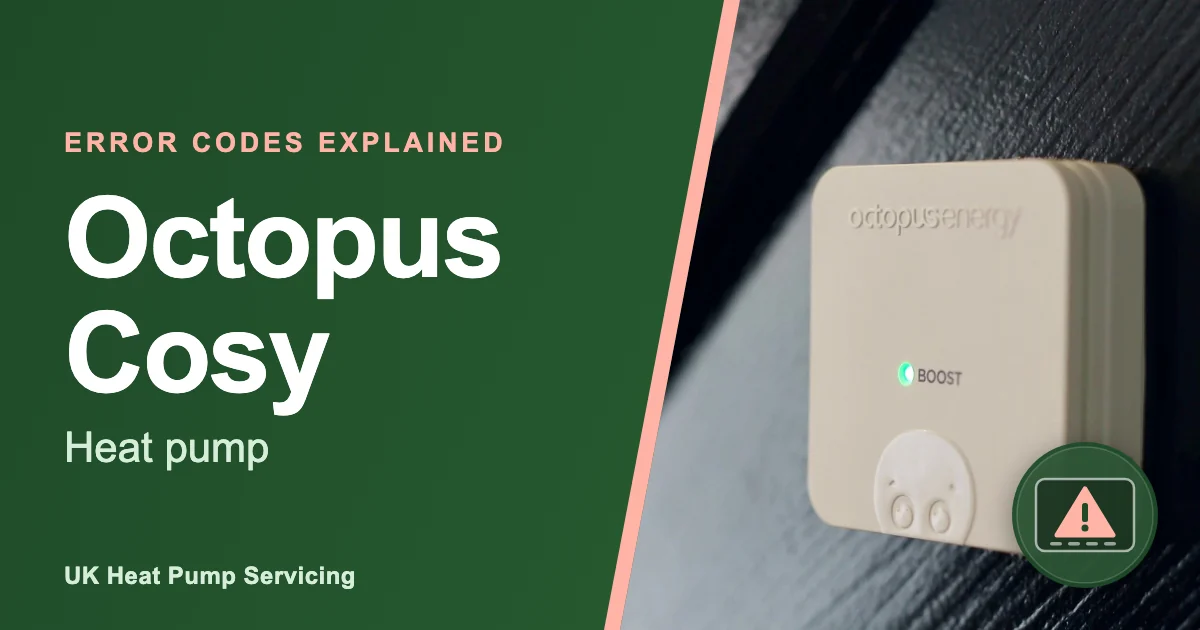
Octopus Energy does not publish a list of numbered error codes for its Cosy heat pumps. Faults show instead as coloured lights on the Cosy Hub and the Cosy Pods (the small room sensors), along with symptoms such as no heat, ice build-up or unusual noise, and the Cosy user manual’s troubleshooting chapter works through those symptoms rather than codes. A flashing red light on the Hub is the one light that means the heat pump itself has reported a fault.
This guide explains what each light means according to the Cosy User Manual (version 26-1), what you can safely check and when to get help. For codes on other makes, see the Heat Pump Error Codes, and if you want to rule out the basics first, our guide to a Heat Pump Not Working questions answered covers the checks that apply to any make.
Most Cosy owners have aftercare through Octopus or their installer, so check that first: Octopus lists 0808 196 6842 for heat pump aftercare. If you are out of warranty, want a second opinion or the problem keeps returning, we are independent engineers. Never open either unit yourself, as both contain mains electricity and pressurised refrigerant.
Is it safe to fix an Octopus Cosy heat pump fault yourself?
You can safely handle the Hub and Pod checks and a few simple outside checks on a Cosy, but nothing inside the units. Changing Pod batteries, checking your router, topping up the system pressure, bleeding radiators and looking for a tripped breaker are all covered in the Cosy user manual as owner tasks.
Octopus is clear that leaks should not be repaired by owners: if you notice a leak from the Cosy unit, never try to stop it yourself, because leaking refrigerant can cause severe burns and frostbite, and you should stay well away and contact the helpline immediately. The manual also says never to open the heat pump covers or the fan cap, that the Cosy should only ever be opened by a trained professional, and that the unit contains flammable materials and must be kept clear of open flames, smoke and anything that could start a fire. Refrigerant work is legally restricted to qualified engineers, and the Cosy’s R290 refrigerant needs an engineer trained for flammable refrigerants.
Unqualified repairs can affect your Octopus or installer warranty, so stop at the checks in this guide. If you smell gas or hear hissing at the outdoor unit, keep ignition sources away and isolate the heat pump at the fused spur or isolator before you call.
Which Octopus Cosy faults can you check yourself?
Most Cosy lights relate to the controls rather than the heat pump, so many can be fixed in minutes: a solid yellow or solid red Hub, a Pod that is solid red for 15 seconds or flashing red every 30 seconds, a heat pump that has switched off, a home that is not warm enough, ice on the unit and a puddle beneath it.
For a solid yellow Hub, make sure your WiFi router is switched on and working; the Hub should reconnect itself. For a solid red Hub, use the Octopus app to see which primary Pod has disconnected, check its battery level and change the two AAA batteries if needed, then move the Pod within 5 metres of the Hub. For a Pod solid red for 15 seconds, move it within 5 metres of the Hub and it should reconnect; for a Pod flashing red every 30 seconds, fit two new AAA 1.5 V alkaline batteries, never rechargeables, and change both at once.
If the heat pump is not working and has switched off, Octopus says to check both the indoor and outdoor units are switched on, that the app is connecting to the system and that no circuit breaker has tripped. If it is not heating enough, check the room your primary Pod is in and its design temperature, whether the Pod is near an open window or door, your setpoints, that your TRVs are open, that the system pressure is correct and whether Hush Mode is still on. Our guide to low pressure on an Octopus Cosy covers the filling loop and the 1 to 1.5 bar figure. For ice on the back of the unit, watch whether it clears; our guide to an Octopus Cosy that has frozen or iced up explains what is normal. For a puddle, check for debris or a blockage you can clear safely.
What are the most common Octopus Cosy fault lights and symptoms?
The signs Cosy owners report most are a flashing red Hub, Pod connection lights, rooms not getting warm enough and ice or noise from the outdoor unit. Where we add underlying causes Octopus does not mention, we label them as general engineering knowledge.
Flashing red on the Cosy Hub
This is the Hub’s heat pump fault signal, and there is no further code on the Hub to decode. The Cosy user manual’s fix column says to call 0808 196 6842 or email aftercare. If you are out of warranty or want an independent view, we can diagnose it.
Solid red or yellow on the Cosy Hub
Solid red means the Hub cannot find its primary Pod, and solid yellow means it has lost its WiFi connection. Neither is a heat pump fault. Fix the batteries, Pod distance or router and both should clear on their own. The manual also notes that the Hub’s status LED goes solid blue only in AP mode, which is an installer setting you should not need.
Pod lights
A Pod showing solid red for 15 seconds has lost the Hub, and one flashing red every 30 seconds needs new batteries. Solid green for 15 seconds means boost is enabled and fading orange for 3 seconds means boost is cancelled; neither is a fault. The manual adds that the primary Pod should not share a room with a TRV that can close, because the two fight each other.
Heat pump not working or switched off
Octopus says this could be due to a loss of electricity supply: check both units are on, the app is connected and no circuit breaker has tripped, then contact the installer if all three are fine.
Not heating enough
Octopus lists Pod location and design temperature (most rooms are designed to 18°C or 21°C), open windows or doors near a Pod, setpoints and the time needed to reach them, TRVs and system pressure, and Hush Mode, which limits the compressor and fan to 60 percent. Underlying causes can include air in the system, low pressure or blocked flow, and from general engineering knowledge sludge or scale often sit behind those.
Ice build-up
The user manual says the Cosy goes into defrost mode to remove ice build-up, that you should not interfere with ice as this can damage the system, and that if ice continues to build up on or inside the heat pump you should call your installer. Octopus’s help page adds that excessive icing, or icing in warmer weather, may indicate poor airflow or low refrigerant.
Noise
Octopus says the heat pump will seem louder in colder weather or during the hot water cycle, which is normal. Loud gurgling, grinding or squealing sounds are unlikely, but if they happen you should contact your installer; its help page notes that gurgling in pipework is often air, cured by bleeding the radiators.
Water leak or water not draining
The manual says it is normal for a heat pump to create water while operating, and that this should drain away easily. If you find a puddle, check for debris or a blockage that can be carefully cleared; if you cannot see anything, or you have spotted a leak, contact your installer and do not try to fix it yourself.
Refrigerant leak or damaged casing
If refrigerant is leaking, keep well away, do not try to stop it and call the helpline immediately. The manual also warns that the bluish metal evaporator at the back of the unit can be damaged easily when gardening or cleaning, and that any cracks in the casing or damage to the evaporator should be reported as soon as possible.
Which light or symptom might you see in common situations?
Octopus only ties one light to a heat pump fault, so this table pairs each situation with the lights and symptoms its guidance does cover.
| Scenario | Cosy lights or symptoms you may see | First check |
|---|---|---|
| Cold snap, iced outdoor unit | Ice build-up; louder running; Hub flashing red if the heat pump faults | Is the ice clearing between defrosts? Our guide to More on do heat pumps work in cold weather shows what is normal |
| Losing pressure or low pressure | Not heating enough; gurgling from air in the circuit | Read the system pressure gauge and top up to 1 to 1.5 bar cold |
| Radiators lukewarm | Not heating enough | Hush Mode, setpoints and radiator TRVs |
| No hot water | No specific light in Octopus’s guidance; Hub flashing red if the heat pump has faulted | Check the hot water schedule in the app and the Hub light |
| After a power cut | Hub solid yellow until WiFi returns; Pod solid red; heat pump switched off | Router back on, both units on, breakers not tripped |
| Unit noisy or fan not spinning | Louder running; ice build-up | Is it a cold day or a hot water cycle? Is anything stored behind the unit? |
| After a service | Hub flashing red if a fault remains; not heating enough | Ask the engineer whether pressure was restored and TRVs reopened |
How do I reset an Octopus Cosy heat pump?
Octopus does not publish a reset procedure for the Cosy heat pump itself in its user manual or help pages, so we will not suggest one. What the manual does describe is how to reset a Cosy Pod and how the Hub and Pods reconnect on their own once WiFi, batteries or distance are sorted.
- Note the Hub and Pod light colours and any symptom, and take a photo of the Hub.
- For a yellow Hub, restart your router and wait for the Hub to reconnect; for a red Hub or Pod, change the Pod batteries and move the Pod within 5 metres of the Hub.
- To reset a Pod that is stuck pairing, the manual says to remove a battery, hold the boost button, put the battery back in while still holding it, and keep holding until the LED stops flashing red.
- For a heat pump that has switched off, check both units are on and no breaker has tripped, then let it restart.
- For a flashing red Hub, call Octopus aftercare rather than switching the system off and on.
A flashing red Hub is a heat pump fault, and Octopus’s instruction is to contact aftercare rather than reset it. Switching the system off and on repeatedly will not fix the cause and can delay a proper diagnosis.
Octopus Cosy fault light and symptom list
There is no official Cosy error code list, so this table covers every light and symptom in Octopus’s published guidance, with who should deal with it.
| Light, alert or symptom | Meaning | Likely cause | What to check | Who should act |
|---|---|---|---|---|
| Hub flashing red | Heat pump fault | Any fault reported by the heat pump | Note the symptoms, then call aftercare | Octopus aftercare, then engineer |
| Hub solid red | No primary Pod found | Flat Pod batteries or Pod out of range | App shows which Pod; batteries; within 5 m of the Hub | Homeowner check |
| Hub solid yellow | Lost WiFi connection | Router off or down | Router on and working | Homeowner check |
| Hub solid blue | AP mode for installer setup (not a fault) | Button held for 10 seconds | Do not change settings | Installer |
| Pod solid red, 15 seconds | Lost Hub connection | Out of range | Move within 5 m of the Hub | Homeowner check |
| Pod flashing red every 30 seconds | Low battery | Batteries exhausted | Two AAA 1.5 V alkaline batteries, both changed | Homeowner check |
| Pod solid green, 15 seconds | Boost enabled (not a fault) | Boost pressed | Nothing | No action |
| Pod fading orange, 3 seconds | Boost cancelled (not a fault) | Boost pressed again | Nothing | No action |
| Heat pump not working or off | Loss of electricity supply, settings or fault | Unit switched off, app disconnected, tripped breaker | Both units on, app connected, breaker | Homeowner check, then engineer |
| Not heating enough | Settings, Pod placement, Hush Mode, pressure or flow | Hush Mode at 60 percent, closed TRVs, low pressure, air | Setpoints, TRVs, pressure at 1 to 1.5 bar, Hush Mode off | Homeowner check, then engineer |
| Loud gurgling, grinding or squealing | Needs attention | Air in the circuit or a mechanical fault | Bleed radiators for gurgling; otherwise nothing | Engineer |
| Leak, or water not draining | Pipework or drain problem | Blocked drain or a leak | Visible debris only | Engineer |
| Continuous ice, or ice in warm weather | Possible airflow or refrigerant problem | Poor airflow or low refrigerant | Clearance around the unit | Engineer |
| Refrigerant leak | Escaping R290 refrigerant | Damage or a failed joint | Stay well away | Octopus helpline immediately, then engineer |
| Damaged casing or evaporator | Physical damage | Gardening or cleaning knocks | Nothing | Octopus aftercare, then engineer |
Where do I find the Octopus Cosy fault list?
Octopus publishes the Cosy User Manual as a PDF, linked from its Cosy heat pump help page; section 6 covers user maintenance, including pressure and ice, and section 7 covers troubleshooting and the Hub and Pod LED table. The help page repeats the troubleshooting guidance and gives the aftercare contact details.
If your Hub shows a pattern that is not in this guide, check the current manual or ask Octopus aftercare before acting on it.
When to call an engineer
Call for help when the Hub flashes red, when the heat pump stays off with both units on and no breaker tripped, when rooms stay cold after you have checked the setpoints, TRVs, pressure and Hush Mode, when ice keeps building on the unit, or when you hear grinding or squealing. For a suspected refrigerant leak, stay well away, keep ignition sources clear, isolate the heat pump at the fused spur or isolator if you can do so safely and call the Octopus helpline immediately. Octopus aftercare is the first call while you are covered.
UK Heat Pump Servicing provides annual servicing, fault diagnosis and repair, cover plans and new installations for heat pump owners across England, Scotland and Wales. Once you have checked with Octopus or your installer, we can help as independent engineers for Cosy heat pumps, which is most useful once your cover has ended or when a fault keeps returning and you want a second opinion. A repair engineer visit covers pressure, flow, airflow and electrical problems, and starts with a diagnosis and a quote.
An annual service catches many of the pressure, airflow and icing issues above before they cause a breakdown; More on why heat pump servicing is so important explains what the visit covers. Our breakdown cover and annual servicing include the annual service and cover callouts, and the where we work page confirms we reach you. If you are deciding whether a plan suits a Cosy, read Is Heat Pump Cover Worth It questions answered.
Frequently asked questions
Does the Octopus app show Cosy error codes?
Octopus does not publish numbered codes, and its guidance points owners to the Hub and Pod lights instead. The app does help with control faults, for example by showing which primary Pod has disconnected and the battery level of each Pod, and it is where Hush Mode and Boost are switched on and off. For anything beyond that, aftercare is the route.
When can I reach Octopus heat pump aftercare?
Octopus’s Cosy help page lists its aftercare line, 0808 196 6842, as open 8am to 8pm Monday to Saturday and 10am to 6pm on Sunday, with heat@octopus.energy as the email. The user manual gives aftercare@octopus.energy for a flashing red Hub. A refrigerant leak should be reported straight away. Have the Hub light pattern and any symptoms noted before you call.
Will using an independent engineer affect my Cosy warranty?
It can while you are still covered, so speak to Octopus or your installer first. Once cover has ended, or if they agree, an independent engineer trained for R290 can carry out the work. Keep records of every visit either way, and keep the Hub and Pods set up as the manual describes.
Does a flashing red Hub mean the compressor has failed?
No, not necessarily. It tells you the heat pump has reported a fault, and on most systems the cause is often simpler, such as airflow, pressure or a sensor. The Cosy’s own protections, including defrost mode and the 60 percent limit in Hush Mode, are not faults at all. A proper diagnosis will show whether the compressor is involved.
Why does my Cosy ice up at the back in winter?
The evaporator at the back of the unit is where the Cosy pulls heat from the air, so frost forms on it in cold, damp weather and the unit runs a defrost mode to clear it. Octopus says not to interfere with the ice, and to call your installer only if ice continues to build up on or inside the heat pump, or if it appears in warmer weather, which can mean poor airflow or low refrigerant.
Sources and further reading: Octopus Energy, Cosy User Manual version 26-1, sections 2 (safety), 4 (Pod status indicator), 5 (Hush Mode), 6 (user maintenance) and 7 (troubleshooting and LED table); Octopus Energy, Cosy heat pump help page, troubleshooting and aftercare contact details. Checked October 2026.